Installing the Server
The PBCM server is the control plane: the dashboard, the REST API and the WebSocket hub every agent connects to. It is distributed as a container image and this page describes the only supported way to run it — Docker Compose.
Building from source
Everything here uses the published image. Building the image yourself is a development concern and needs a GitHub Packages token; see Development & Deployment.
Prerequisites
- Docker with the Compose plugin (
docker compose version≥ 2). Docker Desktop ships both. - A reachable Proxmox Backup Server and an API token for it. PBCM stores no backup data of its own — without a PBS to write into, there is nothing for a job to do.
- A host port for the dashboard. The examples use
3000.
Nothing else. No Node.js, no npm, and no registry token: the image is pulled from GHCR, which serves it anonymously.
The image
| Image | Platforms |
|---|---|
ghcr.io/stefgo/pbcm-server:latest |
linux/amd64 and linux/arm64 |
ghcr.io/stefgo/pbcm-server:main |
rolling build of the main branch — no release |
ghcr.io/stefgo/pbcm-server:dev |
rolling build of the dev branch — in development |
ghcr.io/stefgo/pbcm-server:1.4.0 |
a specific release |
Three of these move, and the difference matters:
latestis the last released version. It moves only when a release is published, which happens deliberately and not on every push. This is the one to use unless you have a reason not to.mainis the current state of the main branch: reviewed and released to everyone, but not a release. It can be ahead oflatestand carries no version number or changelog entry. Useful to test a fix before it is released.devis the state of development. Expect it to break.
Pin a version tag if you want upgrades to be a decision rather than a side effect
of docker compose pull.
1. Create the configuration file
The server writes a config.yaml with defaults on first start, but the file has to
exist before the container starts — Docker creates a directory where a bind mount
points at a missing file, and the server then fails to write its config.
mkdir -p pbcm && cd pbcm
curl -fsSLo server-config.yaml \
    https://raw.githubusercontent.com/stefgo/proxmox-backup-client-manager/main/server/config.example.yaml
An empty file works too (touch server-config.yaml); the example is only more readable
afterwards. jwtSecret and secretKey are generated on first start and written
back into it. Every key is documented in Configuration.
2. Write the Compose file
services:
    pbcm-server:
        container_name: pbcm-server
        image: ghcr.io/stefgo/pbcm-server:latest
        ports:
            - "3000:3000"
        volumes:
            # SQLite database: clients, jobs, history, repository credentials
            - server-data:/app/server/backend/data
            # Configuration, created in step 1
            - ./server-config.yaml:/app/server/config.yaml
        environment:
            - NODE_ENV=production
        restart: unless-stopped

volumes:
    server-data:
Two things are worth persisting and both are in there. server-data holds the SQLite
database — the client list, the job definitions, the run history and the stored PBS
credentials, encrypted. server-config.yaml holds the secrets that sign your sessions and
the key that encrypts the stored credentials (secretKey). Keeping the two apart is
what makes the encryption worth having: a copy of the volume alone reveals no secret. Losing
the config file invalidates every session, every stored repository secret, every outbound
client's token and every stored tunnel key; losing the volume loses the installation.
Back them up separately, and keep the config file writable.
The server process runs as the unprivileged user node (UID 1000), not as root. The
container starts as root only for a moment: its entrypoint hands the data volume and, when
the server cannot write it, the mounted server-config.yaml to UID 1000, then drops to
that user. So an installation from an older image keeps working after an update, but
server-config.yaml on the host may afterwards belong to UID 1000. Check with
docker top pbcm-server, not docker exec … id: exec starts its shell as root.
To pick the UID yourself, set user: "1234:1234" on the service. The entrypoint then
changes nothing, and the volume and the config file have to be writable by that UID —
otherwise the server stops at start-up and names the directory it cannot write.
3. Start it
Open http://localhost:3000 and log in with admin / admin.
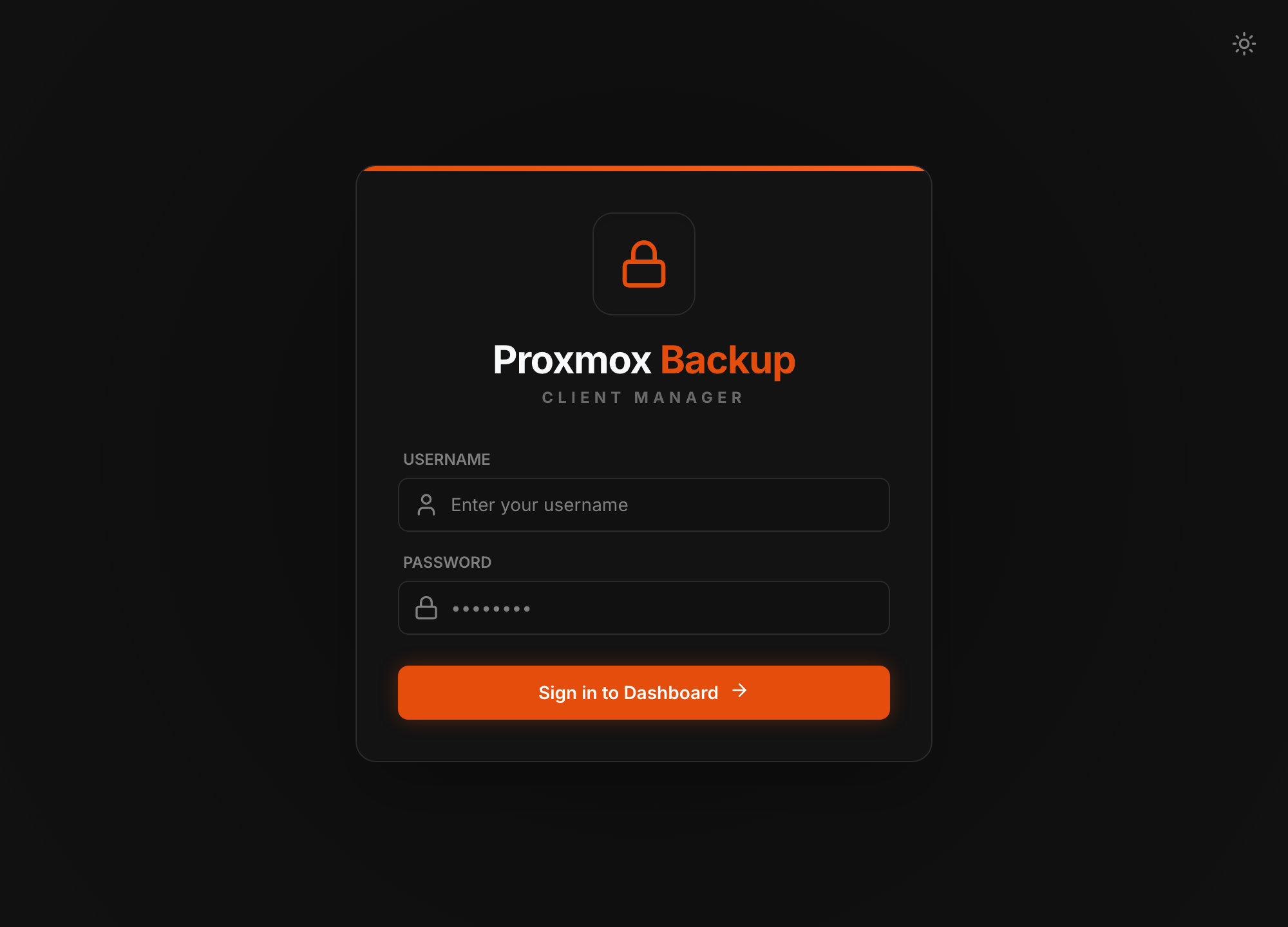
The sign-in form. A single sign-on button replaces it when OIDC is configured — see Configuration.
Change the admin password
The default account is created on first start with a known password and the server is reachable from wherever you published the port. Change it under Users before the server sees a network you do not control.
4. Connect a Proxmox Backup Server
Under Repositories, add the PBS datastore the agents will write into: its host, the
datastore name, an API token (user@realm!tokenid plus the secret) and the TLS
fingerprint. The fingerprint is not optional decoration — every job pins it, which is
what makes an agent refuse a substituted server.
Give each client its own API token. Every job keeps a copy of its repository's token on
the agent, because the agent runs its backups without the server. Whoever takes over an agent
therefore holds that token. With one token per client — a repository entry each, all pointing
at the same datastore — that token can only reach the client's own backups: grant it
Datastore.Backup on the client's own namespace and nothing more, in particular no
Datastore.Modify or Datastore.Prune. A token shared by all clients lets one compromised
host read or delete every other host's backups.
With a repository in place, you can add clients and install the first client.
Operating it
- Operations — health, logs, updating, and what to back up.
- Security — the reverse proxy and its
security.trusted_proxiesentry, TLS to an outbound agent, and where agents may connect from. - Upgrade Notes — what to do when a release changes behaviour.
Update agents together with the server
Server and agent speak one protocol version. An agent older than the server is
refused at /ws/agent with close code 4001. Plan the agent updates in the same
window, and read the upgrade notes before jumping across a
release.
Next steps
- Install a client agent on the first machine you back up.
- Configuration reference — every key in
config.yamland every environment variable. - SSH reverse tunnel — for clients with no route to the PBS.