Keepalived Status Monitor (KASM)
A keepalived pair is easy to look after while it works: one node holds the virtual address, the other waits. The questions start when it does not — which node is MASTER right now, did the address move last night and why, is there a pair where both nodes think they are MASTER? keepalived answers them only on the host itself, in its log and in a state dump it writes on a signal.
Keepalived Status Monitor (KASM) gives those hosts one dashboard. A lightweight Node.js agent runs next to keepalived on each host; a central Fastify/React server collects what the agents read and shows every VRRP instance, grouped into the clusters they form. KASM changes nothing in keepalived — it watches.
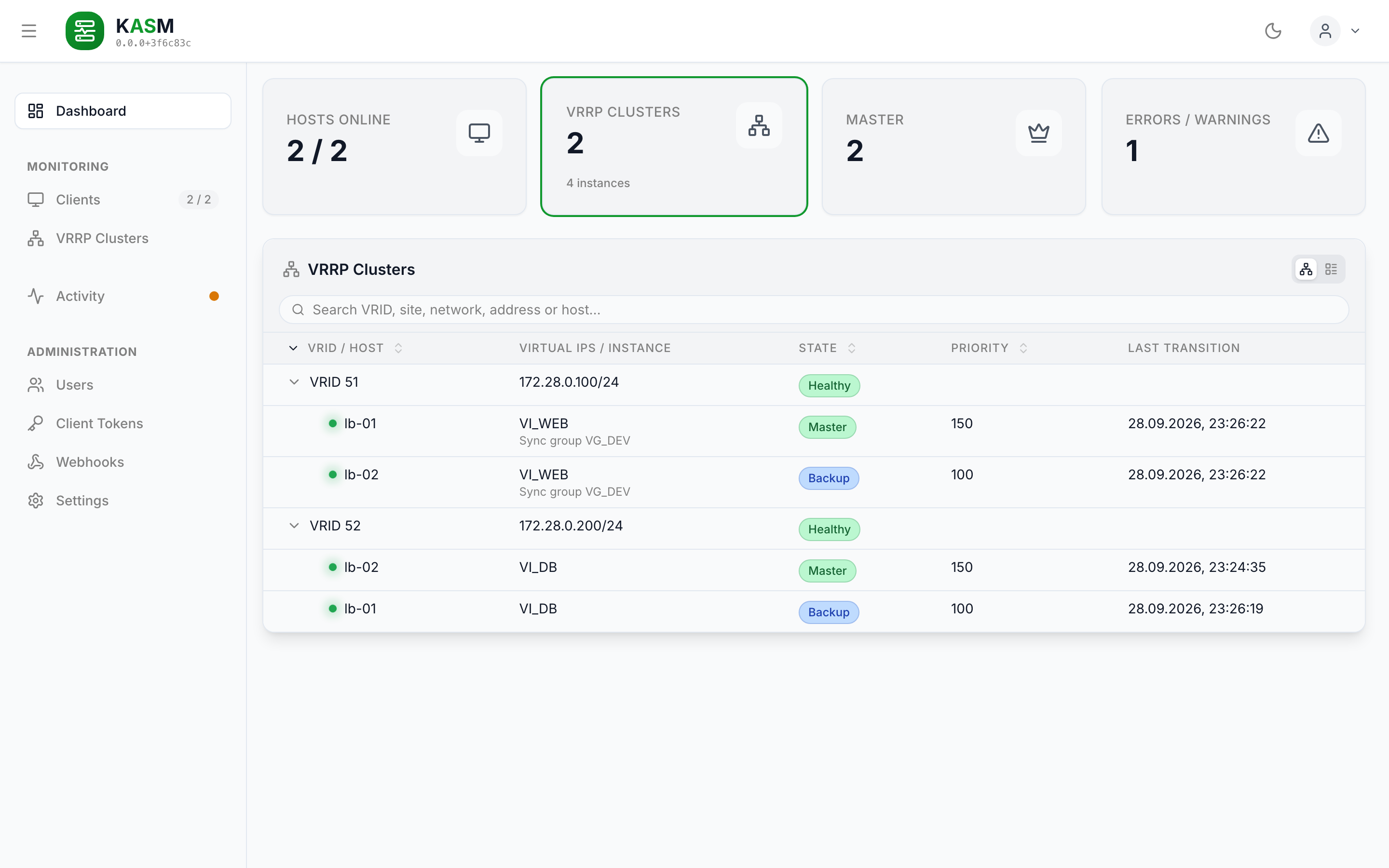
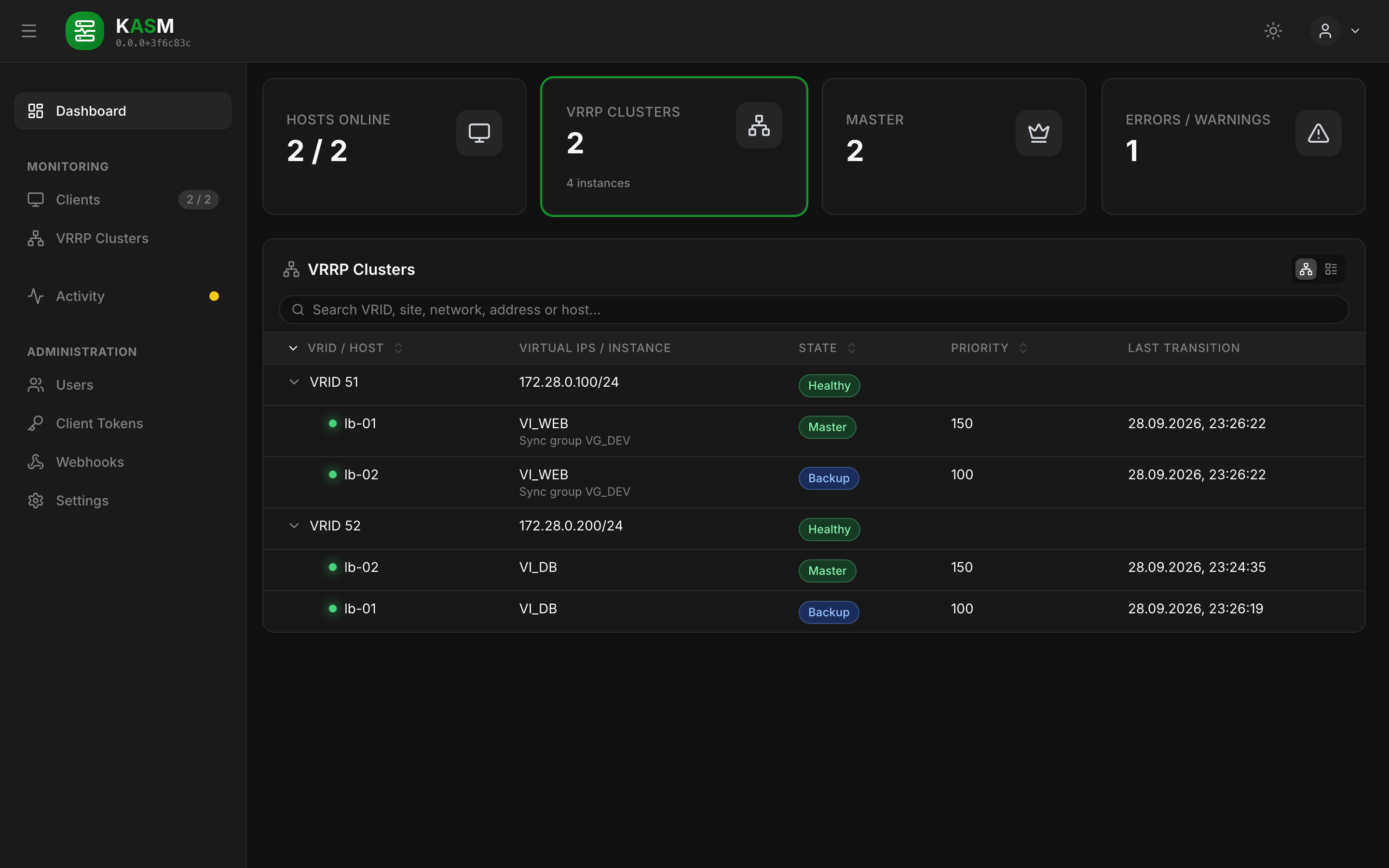
How the pieces fit together
Three parties are involved:
| What it holds | Talks to | |
|---|---|---|
| KASM server | The client list, users, registration tokens, settings, the last keepalived reading of every host and the activity list — in SQLite | the browser, the agents |
| KASM agent | Its identity, its last reading and the activity events not yet acknowledged — in its own data directory | the KASM server, the local keepalived |
| keepalived | The VRRP instances, sync groups and their counters | the agent, through signals and its dump files |
flowchart TB
B["Browser<br/>Dashboard"]
S["KASM Server<br/>Fastify · React SPA · SQLite"]
A1["KASM Agent<br/>inbound: dials the server"]
A2["KASM Agent<br/>outbound: the server dials it"]
K1[("keepalived<br/>node A")]
K2[("keepalived<br/>node B")]
B -->|"REST /api/v1/* · WS /ws/dashboard"| S
A1 -->|"WS /ws/agent"| S
S -->|"WS /ws/register, /ws/agent"| A2
A1 -->|"SIGUSR1/2 · /proc/<pid>/root"| K1
A2 -->|"SIGUSR1/2 · /proc/<pid>/root"| K2
K1 <-.->|"VRRP"| K2The WebSocket between server and agent is one persistent connection, and it does not matter which side opened it. An inbound agent dials the server — the usual case when the host can reach the server. An outbound agent listens on a port of its own and the server dials it — for hosts the server can reach but that cannot reach the server. Either way the same messages flow over it; see Connection Modes.
How the agent reads keepalived
keepalived has no status API. It writes its state to a file when it receives a signal, and that is what the agent uses, every five seconds by default:
- It finds keepalived's parent process in
/proc— the agent shares the host's PID namespace for that. - It sends
SIGUSR1(state dump) andSIGUSR2(counters) and waits until keepalived has rewritten/tmp/keepalived.dataand/tmp/keepalived.stats. - It reads both through
/proc/<pid>/root/tmp/…, keepalived's own view of the file system — so a systemdPrivateTmp=truechanges nothing. - It takes over the fields it names — state, priorities, interface, VRID, virtual addresses,
last transition, counters — and nothing else.
auth_passnever leaves the host. - It compares the reading with the previous one and reports every change as an activity event, with the time keepalived gives for the transition.
Details, the permissions this needs and the JSON dump alternative are in Client Agent.
Clusters and their health
The server — and the dashboard, with the same function from shared — groups the instances
of all hosts into clusters: instances with the same site, the same VRID and a shared
network answer for the same virtual router. A VRID alone is only unique per broadcast domain,
which is why the network the virtual addresses sit on is part of the key. The addresses
themselves are not — they are what KASM watches, so hosts that disagree about them stay one
cluster and are reported as such.
| Health | Means |
|---|---|
| Healthy | Exactly one live member (agent online, keepalived reporting) is MASTER, every member is live and none is in FAULT. |
| Degraded | One MASTER holds, but a member is in FAULT, its agent is offline, its keepalived is stopped or unreadable, or it is the only member. |
| No master | No live member is MASTER — the virtual addresses are not being served. |
| Split brain | More than one live member is MASTER for the same virtual router. |
| VIP mismatch | The members do not all carry the same virtual addresses, so a failover changes which of them are up. |
| Unknown | No member is live. |
The dashboard lists the clusters that need attention; the VRRP Clusters page shows all of them. On top of each host's own state changes, the server reports what happens to a cluster as a whole — a new master, a split brain, and incidents that open, change and resolve; see Activity.
What it does
- VRRP at a glance — every instance on every host with its state, configured and effective priority, interface, VRID, virtual addresses and last transition.
- Cluster view — instances grouped by site, VRID and the network they sit on, then checked for split brain, missing MASTER, degraded members and hosts that disagree on the virtual addresses.
- Failover history — every state change as an activity event with keepalived's own timestamp; MASTER stepping down is a warning, FAULT an error.
- Cluster events — a new master, a split brain or a lost master, reported once every live host has confirmed it, and incidents that open, change and resolve as one group.
- Webhooks — events sent to a chat, a push service or an endpoint of your own, each with a JSON body you write yourself.
- Counters — keepalived's per-instance statistics, on each cluster's page, side by side for its hosts.
- Nothing sensitive leaves the host — only named fields are read; no Docker socket, no host file system mount.
- Secure communication — agents register with a short-lived token and a setup PIN, then authenticate with a permanent token; each client is bound to an allowed address.
- Authentication — local accounts and OIDC single sign-on.
-
Install it
Docker Compose for the server and for each agent, and the configuration files.
-
Run it
The permissions the agent needs and what protects an installation, how to upgrade and back it up, and what each release changes for one that already runs.
-
Understand it
How the control plane, the dashboard and the agent fit together.
-
Integrate with it
Every REST endpoint and both WebSocket protocols, request and response shapes included — and webhooks that report events to other services.
-
Contribute to it
Local environment with two keepalived nodes, the Conventional Commits the release is derived from, and the build pipeline.
The repository
The diagram above is the deployment view. In the source tree, KASM is an npm monorepo with four workspaces:
| Workspace | What it is |
|---|---|
server/backend |
Fastify API server — the control plane and the WebSocket hub, holding the SQLite database. |
server/frontend |
React SPA (Vite, Tailwind, Zustand), served by the backend from server/dist/public. |
client |
Lightweight Node.js daemon next to keepalived. It reads keepalived's state, reports it and every change to it. |
shared |
Single source of truth for the TypeScript types, Zod schemas, constants and the cluster grouping the other three agree on. |
Getting started in one minute
# Server. The file has to exist first, or Docker mounts a directory in its place.
touch server-config.yaml
docker run -d --name kasm-server -p 3010:3010 \
    -v kasm-server-data:/app/server/backend/data \
    -v "$PWD/server-config.yaml":/app/server/config.yaml \
    ghcr.io/stefgo/kasm-server:latest
Then open http://localhost:3010 and log in with admin / admin — and change that
password right away. Add Client in the dashboard walks you through connecting the first
host. The full Compose files for server and agent are in
Quick Start.