🤖 Client Agent Architecture
This documentation details the architecture of the Node.js client agent (client/), which runs on the machines managed by the Docker Instance Manager. How to install, register and configure an agent is in the Quick Start, Clients and Configuration.
🔁 Connection Modes
The two modes are named from the server's point of view, and that is the only reading
used anywhere — in CONNECTION_MODE (shared/src/constants.ts), in the clients.connection_mode
column, in the REST API and in the dashboard:
| Mode | Who dials | What the agent needs |
|---|---|---|
inbound |
The agent dials the server (/ws/agent on the server) |
serverUrl and an authToken; the agent owns the reconnect ladder. The server checks the source address against clients.inbound_allowed_ip. |
outbound |
The server dials the agent (/ws/register and /ws/agent on the agent's own web server) |
A reachable listenPort (default 3001) and, for the first contact, the setup PIN from the agent's log or DIM_REGISTRATION_SECRET; the server owns the reconnect ladder and stores the agent's address as outboundTargetAddress. |
Read from the agent's side the words invert — an outbound client is the one that receives a
connection — so agent-side code and logs name the mode, not the local direction.
💻 Platform Support
ghcr.io/stefgo/dim-client is one multi-arch image for x86_64 (linux/amd64) and ARM64 (linux/arm64), e.g. a Raspberry Pi; docker pull picks the matching variant. See Images and tags.
📂 Project Structure
The client is a lightweight, headless Node.js process designed to run as a daemon (either via Docker or systemd). It maintains a persistent WebSocket connection to the central server and exposes a local web UI for setup and status monitoring.
client/src/
├── core/
│   ├── Config.ts              # What the operator wrote: read once, validated, frozen
│   ├── ConfigFile.ts          # The config.yaml document itself: read, edit, write back
│   ├── Connection.ts          # Persistent WebSocket connection & message routing
│   ├── DataStore.ts           # The agent's data directory: atomic, synced JSON files
│   ├── Identity.ts            # The clientId/authToken pair in identity.json
│   ├── RegistrationState.ts   # serverUrl, registration secret, the derived agent mode
│   ├── ServerHttp.ts          # HTTP(S) requests to the server, certificate check decided per call
│   ├── SetupPin.ts            # The PIN that guards registration, inbound and outbound
│   ├── Version.ts             # Agent version detection (VERSION file, git tags, git hash)
│   └── WorkGate.ts            # Running actions and runs; a self-update waits until they are done
├── services/
│   ├── ActivityService.ts     # Activity events: correlation scopes, queue, at-least-once delivery
│   ├── AutoUpdateRules.ts     # What auto-update decides about one container, as pure functions
│   ├── AutoUpdateService.ts   # The host's own auto-update: schedules, registry check, catch-up
│   ├── AutoUpdateSummary.ts   # The schedules folded into one last and next run, as pure functions
│   ├── ContainerConfig.ts     # The create options a container is recreated from
│   ├── DockerEventMapper.ts   # One Docker event -> the activity event it stands for
│   ├── DockerService.ts       # Dockerode wrapper: state snapshots, actions, event stream
│   ├── EventCursor.ts         # How far the event stream has been read; its lines, cut out of chunks
│   ├── PolicyService.ts       # The auto-update policy the server sent, stored and reloaded
│   ├── SelfUpdateOutcome.ts   # The helper's environment and the event its outcome becomes, pure
│   ├── SelfUpdateService.ts   # Self-update via helper container (Docker-in-Docker)
│   └── SnapshotCoalescer.ts   # One state read at a time, a burst of requests folded into one more
├── web/
│   ├── server.ts              # Local Fastify HTTP server (listenPort, default 3001)
│   └── public/
│       ├── register.html      # Client registration UI
│       ├── status.html        # Connection status dashboard
│       ├── styles.css         # Dark-theme stylesheet
│       └── favicon.svg
└── index.ts                   # Application entry point
🏗️ Core Components
1. Configuration (src/core/Config.ts, ConfigFile.ts, Identity.ts, RegistrationState.ts)
Four modules, along one line: configuration is what the operator wrote, state is what the agent was given.
| Module | Owns | Persisted in |
|---|---|---|
Config.ts |
The settings from config.yaml, validated against AgentConfigSchema and frozen — nothing writes to them at runtime. |
config.yaml (read only) |
ConfigFile.ts |
The YAML document itself, so an edit keeps the operator's comments, order and spelling. | config.yaml |
Identity.ts |
The clientId and authToken the server issued. Never in config.yaml: the operator does not write them, and the write has to be atomic. |
identity.json in the data directory |
RegistrationState.ts |
What a registration changes — the server URL, the registration secret once it is used — plus the agent mode derived from them. | server URL written back to config.yaml; the secret comes from the environment and is only dropped from memory |
A config.yaml from an older version that still holds clientId and authToken is migrated
at the next start: the pair is written to identity.json, and only once that worked are the
two keys removed from config.yaml together with their comments.
Agent mode (getAgentMode()) is derived in one place: no identity is unregistered, an
identity with a serverUrl is inbound (the agent dials), an identity without one is
outbound (the server dials). It is logged once at startup.
Config keys:
| Key | Description |
|---|---|
logLevel |
Log verbosity (trace…fatal, silent). Default: info, or LOG_LEVEL where the file says nothing. A value that is not a level is ignored with a warning. |
serverUrl |
HTTP(S) URL of the management server (e.g., https://manager:3000). Set it by hand, or let a registration through the web UI write it. Absent in outbound mode. |
dockerSocket |
Override path to the Docker socket. Auto-detected (Docker Desktop on macOS uses ~/.docker/run/docker.sock, otherwise /var/run/docker.sock). |
allowSelfSignedCertificates |
Accept a server certificate that does not validate, for registration and the WebSocket connection. Default false. A value that is not true or false is ignored with a warning. |
allowPrivateRegistries |
Let the auto-update's registry checks reach a private address (loopback, RFC 1918, fc00::/7), for a registry on the LAN. Default false. Link-local addresses stay refused, redirects included. |
allowedNetworks |
IPv4 addresses or CIDR networks the server may dial /ws/register and /ws/agent from. Empty (default) allows every address. |
listenPort |
Port of the local web server (default 3001). DIM_CLIENT_PORT wins over it. |
enableStatusPage |
Serve /status (default true). |
enableRegisterPage |
Serve /register and accept POST /api/register while the agent is unregistered (default true). Both close once it has an identity. |
2. WebSocket Connection (src/core/Connection.ts)
Manages the persistent WebSocket connection to the server at the ws/agent endpoint, presenting clientId and token in the query string. It does not dial at all until both halves are stored.
- Authentication: Sends the
authTokenas a query parameter on connect. Immediately sends anAUTHmessage with{hostname, version, capabilities, timezone}, all four required.capabilitiesis what this build can do (currentlyauto-updateandproject-query); the server reads it instead of comparing version strings, and an agent that predates a capability simply does not name it. - After the handshake: Both connection modes end their handshake in
onAuthenticated()— the connection the agent dials whenAUTH_SUCCESSarrives, the one the server dials insetupConnection(). It handsActivityServiceits way onto the wire (once), has theStateReportersend every state, and offers the activity queue. The steps used to be written out once per mode, and a state added to one copy was never sent on the other. - Heartbeat: Server sends a PING every 30 seconds; the client responds with PONG. If no ping is received within 35 seconds, the connection is considered dead and a reconnect is triggered.
- Reconnection: After a disconnect or a failed attempt the agent waits 5, 10, 30 and then 60 seconds between attempts, plus up to 3 seconds of random jitter each time, so a fleet does not return in lockstep after a server restart. The ladder is the same as the server's for outbound agents (
ClientConnector). It restarts at 5 seconds only after a successfulAUTH_SUCCESS, not merely when a socket opens. An attempt whose handshake does not finish within 5 seconds is terminated and counts as failed. All attempts run through one timer: a manual retry from the status page replaces a queued one, and a socket that has been superseded by a newer connection never schedules a reconnect of its own. - Message Routing:
SERVER_MESSAGE_HANDLERSis atype → handlertable, and both message handlers — the connection the agent dials and the one the server dials — dispatch throughrouteServerMessage(). The two branches used to stand once per direction although the server sends the same messages either way. An unknown type is dropped: a server of a newer build may know messages this agent does not.AUTH_SUCCESSstays outside the table, inconnect(), which ties the attempt timeout, the reconnect ladder and the promise it has to settle to it.
Handled events:
| Event | Direction | Description |
|---|---|---|
AUTH |
Client → Server | Initial handshake with hostname, version, the agent's capabilities and its time zone. |
AUTH_SUCCESS |
Server → Client | Confirms connection is authenticated and active. Every state is sent right after it. |
AUTH_FAILURE |
Server → Client | Not handled on its own: the server closes the socket right after it, and the agent goes back to its reconnect ladder like after any other close. |
DOCKER_UPDATE |
Client → Server | Full Docker state snapshot (containers, images, volumes, networks). |
REQUEST_STATE_UPDATE |
Server → Client | Triggers an immediate re-scan and a fresh DOCKER_UPDATE. |
DOCKER_ACTION |
Server → Client | Instructs the agent to execute a Docker action (container:*, image:*, volume:*, network:*). |
DOCKER_ACTION_RESULT |
Client → Server | Result of a previously received DOCKER_ACTION, correlated via actionId. |
ACTIVITY |
Client → Server | Events the agent has observed and has not had acknowledged yet, as a batch. |
AGENT_STATUS |
Client → Server | State: the newest run any schedule finished, the earliest one planned, since when a run is under way, and whether the Docker daemon is reachable. |
IMAGE_CHECKS |
Client → Server | State: the registry answers of the last run of each schedule. |
AUTO_UPDATE_POLICY |
Server → Client | The auto-update policy, every schedule already resolved. Stored on disk and acted on even while the server is away. |
AUTO_UPDATE_RUN |
Server → Client | Run the configured auto-update now. Carries no payload — who takes part is this host's own reading. |
ACTIVITY_ACK |
Server → Client | The ids the server stored. The agent drops them from its queue. |
What the agent reports
Everything the agent sends is one of three kinds, and each kind is delivered its own way:
| Kind | Messages | Delivery |
|---|---|---|
| State — only the latest value means anything | DOCKER_UPDATE, AGENT_STATUS, IMAGE_CHECKS |
Nothing is queued. Sent in full after every handshake, then whenever it changes. |
| Event — each one counts | ACTIVITY |
Queued and persisted until the server acknowledges the ids (ACTIVITY_ACK); offered again on every connect. |
| Answer — to one request | DOCKER_ACTION_RESULT |
Over the socket the request came in on, with its actionId. |
The states are channels of one StateReporter (src/core/StateReporter.ts). A channel names its message, how to have its current value emitted (refresh) and how to hear about changes (subscribe); listenerChannel() builds one over a source that can be read at any time. On every connection the reporter sends each channel's current value; afterwards each change. It holds back a value equal to the last one sent on this connection — except for DOCKER_UPDATE, which the server can ask for (REQUEST_STATE_UPDATE) and whose answer has to arrive even when nothing changed. A state the server should hear about is one more channel in Connection; the connection code itself does not change for it.
The first connection also starts the Docker event watcher, which pushes a fresh DOCKER_UPDATE whenever a relevant event occurs (container lifecycle, image pull/tag/delete, volume create/destroy, network create/destroy/connect). A burst of events is answered by few snapshots, not one each.
How the protocol may change
Server and agent are updated separately, so every build has to speak to one of another age. Three rules make that possible, and they apply to both directions:
- A receiver drops what it does not know. An unknown message type, an unknown field: noted in the debug log at most, never answered with an error and never a reason to close the connection. This is why most additions need nothing else.
- A new field is optional. Making an existing field mandatory is a break and needs the same two steps as removing one: the sender first, the receiver a release later — never both in the same release.
- Vocabularies are read tolerantly. An unknown value of an enum on the wire is normalised to a known one or passed through as it came; it never makes the message it sits in unusable.
ActivityEventSchemais the worked example:kindis a plain string,levelandsourcefall back toinfoandagent.
What makes the capability mechanism one-directional is an assumption about who is newer: the server updates its agents, so it is in practice never the older of the two. That is why there is only the "server asks what the agent can do" direction and no server capabilities in AUTH_SUCCESS. The day an agent offers something an older server would not merely drop but act on wrongly, that direction has to be added — until then it would be a mechanism without a case.
3. Local Web Server (src/web/server.ts)
A local Fastify HTTP server, used for initial setup and status monitoring. It listens on listenPort from config.yaml (default 3001), which DIM_CLIENT_PORT overrides. The port matters beyond the web UI: in outbound mode the server dials /ws/register and /ws/agent on it, so a moved port has to be reflected in the client's target address on the server side.
Serving it over TLS
Plain HTTP unless config.yaml carries a tls block:
Relative paths resolve against the agent's directory. Both files are read and checked at startup, and a tls block that cannot be read ends the start rather than falling back to HTTP — an agent configured for TLS that quietly served plaintext would hand its auth token out on /ws/register while looking perfectly healthy. The log line after listen() names the scheme actually in use, as does the setup PIN block.
With TLS on, the client's target address on the server has to say so: wss://host:port. The two are set separately and have to agree — an address written wss:// against an agent serving HTTP fails to connect, and a bare address against a TLS agent does too.
A reverse proxy terminating TLS in front of the agent works just as well; leave tls unset, point the proxy at the plain port and write the client's target address as wss://. Note that allowedNetworks then sees the proxy's address, not the server's, because this Fastify runs without trustProxy (see Security Notes).
Self-signed certificates are the normal case here. The server verifies the agent's certificate unless security.allow_self_signed_agent_certificates is set in its own config.yaml — see TLS.
Which routes are served
Settled at startup from config.yaml (getWebRoutes()):
| Routes | Served when |
|---|---|
/status, /api/status/connection, /api/status/config, POST /api/connect |
enableStatusPage (default true) |
/register, POST /api/register |
enableRegisterPage (default true); closed once the agent is registered |
/, /api/status/server, /api/status/auth, the static files |
either page is enabled |
/ws/register, /ws/agent |
outbound mode: no serverUrl |
/api/health |
the agent runs in its container image (DIM_CONTAINER=true); answers loopback only |
A serverUrl means inbound mode, which needs no route here — the agent dials the server.
Without one, an unregistered agent waits on /ws/register for the server to register it
with the setup PIN (or DIM_REGISTRATION_SECRET), and a registered one needs /ws/agent.
/ws/register refuses every caller once the agent has an identity. Since the routes are
fixed at startup while the mode is not, /ws/agent also refuses a connection once the agent
has been registered inbound through its register page.
The register page closes the same way, per request rather than at startup: once the agent
has an identity, /register redirects to /status (or answers 404 without a status page),
register.html is no longer served and POST /api/register answers 404. The setup PIN is
dropped with the registration, so there is nothing left the page could do. The status page
then shows how to start over instead of a link to the register page.
The static handler leaves out the HTML file of a disabled or closed page, so /status.html is not a
way around enableStatusPage: false. With no page and no outbound mode, the server
binds 127.0.0.1 for the health route alone; outside the container it then does not start
at all, and says so in the log.
Pages:
| Route | Description |
|---|---|
GET / |
Redirects to /register while the register page is open, otherwise to /status. |
GET /register |
Registration UI — form to enter Server URL, Registration Token and setup PIN. Only while the agent is unregistered. |
GET /status |
Status dashboard — shows server reachability, auth token, and connection state. |
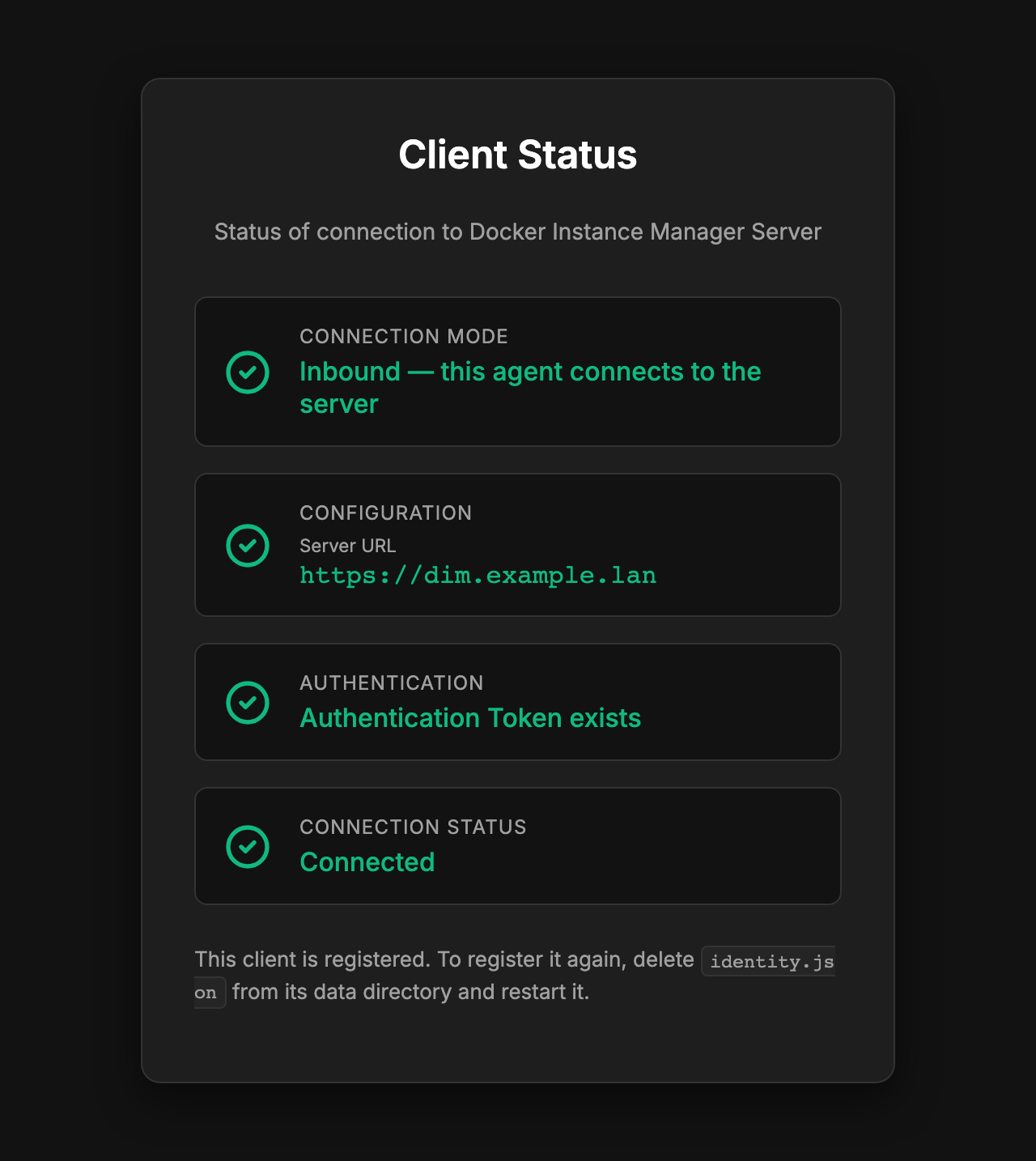
The status page of a registered inbound agent.
API endpoints:
| Route | Method | Description |
|---|---|---|
/api/status/server |
GET | Checks if the configured server is reachable via GET {serverUrl}/api/v1/ping. Takes no address from the caller: it needs no login, and an ?url= it used to accept let anyone who could reach the port have the agent probe its network. |
/api/status/auth |
GET | Returns {hasAuthToken, statusPage} — whether the agent is registered, and whether the register page may link on to the status page. |
/api/status/connection |
GET | Returns {connected: boolean} (live WebSocket state). |
/api/health |
GET | Liveness for the image's HEALTHCHECK: {status: "ok"} while the agent process answers. Independent of the server connection. Served only in the container image and only to loopback; 404 for everyone else. |
/api/connect |
POST | Attempts to establish a WebSocket connection to the configured server. While a handshake is under way, further calls wait for that one instead of starting over, so calling it in a loop cannot keep a disconnected agent offline. |
/api/register |
POST | Performs registration: checks the setup PIN, then calls POST {serverUrl}/api/v1/register. Body {url, token, pin}; 400 names the invalid field (url must be http or https), 403 on a wrong PIN. Every error carries stage — input (form or PIN, nothing was sent), server (502, nothing answered at the URL) or register (a server answered and refused) — which the register page uses in place of a separate reachability check. Only available while enableRegisterPage is not false, and 404 once the agent is registered. |
WebSocket routes (server dials the agent): /ws/register and /ws/agent first check the peer address against allowedNetworks. An empty list allows every address. /ws/agent then checks both halves of the identity from the query string — the token against the stored authToken and the clientId against the stored one, each mismatch closing with 4001 Unauthorized. The id is checked as well as the token because a target address pointed at the wrong host would otherwise hand that host somebody else's Docker actions.
4. Docker Service (src/services/DockerService.ts)
Wraps the dockerode client and is responsible for everything Docker-related on the host:
- State snapshots:
getState()lists containers, images, volumes and networks, inspects each container to capture its configuredimage, and normalises the result intoDockerStatefrom@dim/shared. Every image also carries itsplatform(Os/Architecturefromimage inspect, whichlistImagesdoes not report). An image id names the same content for good, so each image is inspected once and the answer cached by id until the image is gone. Under the containerd image store a tag can hold several platforms locally;image inspectthen reports the one matching the host, and the others stay invisible (that would take API 1.47 and itsmanifestsoption). - Event stream: Subscribes to the Docker event API. A relevant event pushes a fresh
DOCKER_UPDATE, and one that stands for something worth reporting also becomes an activity event (DockerEventMapper). The event's content used to be thrown away here — the watcher looked only at whether the action was relevant. Reading it is what makes an exit code, an OOM kill, a health transition, the signal in front of an exit and adie/startpair inside one second reportable at all: none of them survives the comparison of two snapshots the server used to do in its place. - One snapshot at a time: The connect, a relevant event, the result of an action and a
REQUEST_STATE_UPDATEall ask for a state throughDockerService.pushState(), andSnapshotCoalescerreads one snapshot at a time. Requests that arrive during a read are answered together by one further read, which starts after them and therefore sees what they were about. Each event used to read a snapshot of its own, side by side with the others: acompose upof ten containers was some thirty of them, each with an inspect per container, and an earlier read could finish last and leave an older state standing. - A stream that broke: When the stream fails or ends, the watcher attaches again after 10 seconds (15 while the daemon cannot be reached) — once, although a failing stream reports both an error and its end. As soon as it is attached again it asks for a snapshot, because nothing that changed in between raised an event here, and on a quiet host no later event would have the state read.
- Events that were missed: The new stream is opened with
since, the second of the last event read (EventCursor), so the daemon replays what it still holds and carries on live. The replay starts inside that second, with events that have been through already; they are recognised by time, type, action and object id —timeNanoalone is beyond what a JavaScript number holds exactly. A replayed event is reported with the time it happened and belongs to no operation that began after it, nor does it answer a wait for a first health status registered after it. The daemon holds a limited number of events and none from before its own restart, so a long break or a restarted daemon loses events for good; the snapshot is what puts the state right in every case. The position is kept in memory only: written out with a delay it would lag behind after a crash, and the events in between would be reported twice. The stream is cut into lines before it is parsed, since a chunk is not an event — a replay hands over many at once. - Whether the daemon is reachable (
health(),DockerHealth.ts): every read of the state and every start or loss of the event stream counts as an attempt to reach the daemon.nextDockerHealthturns the attempts into{ reachable, error, since }, wheresincemoves only when the answer flips. It is part ofAGENT_STATUS, so the dashboard can say that the lists of a connected host are no longer current. A daemon that stays away is retried by the watcher every 15 seconds, and the snapshot its next success asks for marks it reachable again. - Actions: Executes
DockerActionrequests dispatched by the server. Supported actions includecontainer:start|stop|restart|pause|unpause|remove|recreate,image:pull|update|remove|prune,volume:remove,network:remove.container:recreaterecreates one container;image:updateis pull & recreate, and takes an optionalparams.containerIdsthat limits the recreate to those containers (the project pages pass theirs) and an optionalparams.forcethat recreates them even when they are already on the new image.image:pruneremoves every image no container uses, tagged or not (docker image prune -a); it covers those images in its correlation scope first, so their removals are grouped under the action. Each action is answered with aDOCKER_ACTION_RESULTcarrying the originalactionId. - Validation of server messages:
Connectionchecks everyDOCKER_ACTIONagainstDockerActionSchemafrom@dim/sharedbefore it reaches Dockerode — known action,targetpresent (empty only forimage:prune),paramsan object. A rejected action that carries anactionIdis answered immediately withsuccess: falseand the offending field, so the server does not wait out its timeout; one without anactionIdis logged and dropped.REGISTRATION_REQUESTon/ws/registeris checked the same way before the secret is compared and the auth token stored. Everything the agent sends goes throughConnection.send/sendOn, typed againstAgentMessagesfrom@dim/shared, instead of hand-built JSON. - Image update is two steps, each usable on its own:
updateImage(target)only pulls and reports which image the tag pointed to before and after;updateContainer(id)recreates one container.pullAndRecreate(target, containerIds?, force?)puts them together forimage:update: it pulls, then recreates every container configured with the reference that does not run the image the tag now points to — limited tocontainerIdswhere the request names them. A container already on the new image is left alone, unlessforceis set. The auto-update calls the two steps itself, because it decides per container. - Recreating a container (
buildCreateOptionsinContainerConfig.ts, shared by every recreate path including the self-update helper) keeps what somebody set and lets the new image supply its own defaults.inspectreports a container's configuration merged with its image's, so each value —Entrypoint,Cmd,User,WorkingDir,Healthcheck,StopSignal, eachEnventry and each label — is compared with the old image and carried over only where it differs. A carried entrypoint takes its command along, since Docker drops the image's command once an entrypoint is given. The hostname is carried over only if it is not the default (the old container id).HostConfig, networks and exposed ports are copied as they are. The agent's own container is never recreated from inside itself; it goes last and is handed to the self-update helper. - Self-update hand-off: When
image:updatetargets the agent's own container, execution is delegated toSelfUpdateService(see below).
5. Activity Service (src/services/ActivityService.ts)
What the agent has seen, on its way to the server.
- Events, not sentences.
DockerEventMapperturns one Docker event into akind, alevel, a subject and adataobject —container.diedwith its exit code,container.killedwith its signal,container.healthwith its status,container.oom. The wording is written in the dashboard, so an agent of an older version keeps reporting usable facts. Nothing that needs a second event is judged here either: whether an exit was asked for is decided by the server, from thecontainer.killedin front of it, also for the stops the agent carries out itself. Volumes, networks, renames and pauses move the state and are pushed as such, but have no kind: inventing one the dashboard cannot phrase would put an unreadable line in the list. - Correlation scopes.
executeActionopens a scope keyed on the server'sactionIdand tells it which containers the work is about to touch, before it touches them —updateImageadds each affected container as it resolves the list. Every event about a covered subject is stamped with that id on its way past. This is the side doing the work, so nothing is matched by name and nothing depends on a time window. A scope closes as soon as it has seen the events it said to expect; a 15-second grace window is only the fallback for one that never comes. When the action has returned,executeActionreports its outcome under the same id (action.completed, oraction.failedwith the error) and marks theDOCKER_ACTION_RESULTreported: true, so the server does not record it twice. The event goes through the queue, so the outcome of an action whose connection closed midway still reaches the server. - The first health status after a start. A healthcheck reports after its first probe, often long after the scope has closed, and holding the scope open for it would stamp everything else that happens to the container meanwhile. So a start, restart or recreate reads the container's effective healthcheck before starting it and registers a wait by container id; the next
container.healthfor that id carries the operation's id, whenever it comes. The id is exact: a recreate gives a new one, and a start resets the status tostarting. No timer ends the wait — every state snapshot the watcher reads does, once the container is gone, no longer running or paststarting, which also clears a status lost in a broken event stream (the snapshot a reconnect asks for does that too). - At-least-once delivery. The agent gives each event its id and keeps it until the server acknowledges that id with
ACTIVITY_ACK— not until it has been sent. The queue is offered again on every reconnect, and a minute after a batch that went out but was not acknowledged — the server withholds the ack for what it failed to store. The id makes a second copy a no-op on the server. That is what makes an unattended run with the server switched off fully accounted for once the server is back. The queue holds at most 500 events; past that the oldest go first.
6. Policy Service (src/services/PolicyService.ts)
The auto-update policy, as the server last sent it: which label enrols a container, which label delays it, this host's schedule for everything outside a project, and one schedule per project.
- It belongs to the server. It arrives whole and is replaced whole, and there is no local override for any of it — DIM is where auto-update is configured, and a value that could be changed on the host would make the dashboard lie about what the fleet does.
- Every schedule in it is already resolved. The inheritance (default → host → project) is the server's business, so nothing here has to know about it, and an agent of an older build cannot get it subtly wrong.
- It is kept on disk (
policy.json), so an agent that comes up without a server knows what it is supposed to do — the last known policy, not none at all. A stored file that does not parse is discarded rather than repaired: the server sends a fresh one on the next connect. - The message is validated before it is stored. It decides when the agent recreates containers on its host, and a malformed one must not become the plan it acts on.
7. Auto-Update Service (src/services/AutoUpdateService.ts)
Runs the auto-update this host is configured for, on this host's own clock. The agent owns the truth about its host, so it also owns the decision to act on it: it resolves who takes part from the labels in front of it, asks the registry itself, and recreates what has a newer image. No server is in the loop — one that is down at three in the morning costs nothing but the reporting, which is queued and handed over when it is back.
- One
node-crontask per schedule: one per project that updates itself, plus this host's own for everything outside a project. They are rebuilt whenever a new policy arrives. Two schedules carrying the same expression stay two runs with tworunIds. - Who takes part is read off the containers on every run, never stored: the configured
label enrols a container, so does membership of a project that is switched on, and the
label carrying
falseopts out and beats both. - Which project a container belongs to is resolved here, with
resolveAssignmentfrom@dim/sharedagainst the queries in the policy. Client criteria use thehostidentity the policy carries, so the answer matches the dashboard's. The agent declares theproject-querycapability; without it the server sends no projects. - Which schedule a container is on follows its project, whatever enrolled it — a labelled
container inside a project moves with it rather than updating an hour before the database
it talks to. Schedules are keyed
project:<id>. - A container that matches several projects is on none of their schedules. Carrying the
auto-update label, it runs on the host schedule (if the host has one) and the host run
reports
autoupdate.conflictas a warning. Otherwise it is not updated, and every run of a project it matches reportsautoupdate.conflictas an error — once per run, so the report repeats for as long as the overlap exists. - A run has three phases. It first decides what is due: an image whose tag the registry has moved on, or a container that runs another image than its tag already points to locally. The second catches a container an earlier run held back by its delay — that run's pull moved the tag, so the registry has nothing new to say about it. It then pulls every image a due container needs, all before the first recreate, so a project whose third image fails to pull is not left half on the new release; a container whose image could not be pulled is counted as failed and not recreated. Last, it recreates only the containers of this schedule, whoever else on the host runs the same image, with the agent's own container at the end.
- One registry call per image, not per container, and the per-container delay label
(
dim.auto-update-delay) is measured against the remote image's own creation date. Both the check and the date are for the platform of the image the container runs: an index rebuilt for another architecture is no update here. A postponed container reportsautoupdate.skipped. - Every run carries a
runIdon everything it causes, and closes with oneautoupdate.runcarrying the counts (pulledimages;updated,failed,skippedcontainers), the containers it set out to recreate (containers: name, image reference,updatedorfailed, and the error of a failed one). A run that changed nothing reports nothing — otherwise every host would file a line per project every night to say there was nothing to do. That it ran still reaches the server: the start and the end of every run updatestate.json, and the schedules folded into one (scheduleSummaryinAutoUpdateSummary.ts: newestlastRun, earliestnextRun, earliest start of a run under way) are part ofAGENT_STATUS. The registry answers of every run — one that changed nothing included — are kept per schedule instate.jsonand sent asIMAGE_CHECKS. Both are states: sent while connected, and on the next connect otherwise. - Runs are serialised and jittered. Two schedules firing together must not pull the same image twice, and a fleet configured from one place would otherwise reach for the registry in the same second.
- A run can be asked for (
AUTO_UPDATE_RUN, sent byPOST /api/v1/clients/:clientId/auto-update/runfor one host at a time; the dashboard has no button for it). Every schedule this host holds then runs, each with its ownrunId, queued behind whatever is already running. It skips the jitter and reports even when there was nothing to do, because there is a reader waiting for an answer; the events carrymanual: true. The command brings no list of containers — the host holds the better one. Asked for while the agent is replacing itself, it reportsautoupdate.refusedinstead (see the Self-Update Service below). - Missed runs are made up.
node-cronknows nothing of the time the process was not running, so a host that is off overnight would never update and never say so. The expected date is stored with the expression it was computed from; if it has passed, the run is made up once (however many dates went by) a few minutes after start, and theautoupdate.runsays so. An expression that has changed since is not made up: the stored date belongs to a plan that no longer exists. This covers the clock change as well — a schedule at 02:30 does not exist in the night the clocks go forward. - An interrupted run is repeated, because half a run is not a run. It is recognised by a
start that has no end, and reported as
autoupdate.interrupted— unless the run ended by recreating this agent's own container, which is by design and only resumes.
8. Self-Update Service (src/services/SelfUpdateService.ts)
Allows the agent to update its own container without breaking the WebSocket round-trip:
- Detects that the action target is the agent's own container (via
/.dockerenv+HOSTNAME). - Pulls the new image.
- Waits until nothing else is running (
WorkGateinsrc/core/WorkGate.ts, see below). - Spawns a short-lived helper container from the new image with
DIM_HELPER_MODE=trueandDIM_OLD_CONTAINER=<old-id>in its environment, plus the agent's version,selfUpdateVerifySecondsand, asDIM_CORRELATION_ID, the id of the action or auto-update run that asked for the update. It gets the agent's binds and mounts — the Docker socket and the data directory. - The helper replaces the old container, with a rollback (see below), and then removes itself.
Why it waits. Stopping the old container ends this process, and with it every action and
auto-update run still under way. Actions run side by side — a project's Pull & Recreate sends one
image:update per image at once — so without the wait the agent could replace itself while another
action had just stopped and removed a container, which would then never be created again.
Every Docker action and every auto-update run is a unit of work in WorkGate. A self-update
parks the unit that asked for it and waits for all the others to leave:
- While it waits, new work is refused. An action fails with Agent is replacing itself —
retry once it has reconnected, reported as
action.failedat levelinforather thanwarning, because it is expected and passes by itself; a scheduled run is skipped and made up by the agent that comes back (itsnextRunis left in the past); a run that was asked for reportsautoupdate.refused, so the dashboard has an answer. What was already running carries on. - The wait is bounded by
selfUpdateWaitSecondsinconfig.yaml(default 600). Work still running after that makes the self-update fail as part of the action or run that asked for it, and the gate opens again. - A second request while one is waiting — two actions on the agent's image — joins it.
- Once the helper is started, nothing is accepted until the process ends. If the helper exits and this process is still there, the helper failed; the agent logs it and accepts work again.
How the helper replaces the agent. The old container is set aside, not removed, until the new one has shown that it works:
- Rename the old container to
<name>-rollback-<timestamp>, which frees its name. - Stop it, which frees its ports and ends the old agent.
- Create the new container under the original name with
buildCreateOptions(see the Docker Service above) and start it. - Verify it: healthy where the image has a healthcheck (the DIM image has one), otherwise
running for 30 seconds without a restart. It fails on
unhealthy, on an exit or restart, and afterselfUpdateVerifySeconds(default 120) without an answer. - On success remove the old container. On any failure remove the new one, rename the old one back and start it: the agent then runs its previous release again.
The helper leaves the outcome in self-update.json in the data directory. The agent that runs
next — the new one, or the old one after a rollback — reports it and deletes the file:
selfupdate.completed (info), selfupdate.rolledback or, when even the rollback failed,
selfupdate.failed (both error). The new agent reads the file while the helper is still
watching it (pending) and keeps reading until the helper has decided. The file carries the id
the helper was given, and the outcome is reported under it: it joins the group of the action or
run that asked for the update, so a rollback colours that group instead of standing next to it.
A helper that fails before it has changed anything leaves rolled-back as well, for the old
agent that is still running. Of two requests that join one self-update, the first one's group
gets the outcome.
The rollback exists from the release that brought it: the helper always runs the new image,
so the first update to that release already has it. Only its report may be missing that first
time: the agent that starts the helper is still the old one, and it may not hand over the mount
of the data directory. If the host goes down while the helper is
at work, a stopped <name>-rollback-… container may be left. To bring it back by hand:
docker rm -f <name> (if a broken new one exists), docker rename <name>-rollback-… <name>,
docker start <name>.
9. Version Detection (src/core/Version.ts)
Resolves the agent version with the following priority:
VERSIONfile next to the build output (written byscripts/generate-version.shduringnpm run buildand the Docker build). The script takesAPP_VERSIONfirst, then the version from the rootpackage.json(with+<hash>when the commit carries no release tag) — see development.md.- Without that file, during development: exact
git tagon the current commit. - Fallback:
{branch}-{short-hash}[-dirty].
🔄 Registration Flow
Registration is a one-time setup step performed via the local web UI:
- Open
http://localhost:3001in a browser → redirected to/register. - Enter the Server URL (e.g.,
https://manager.example.com), a Registration Token (issued for the client in the server's Add Client wizard, or by Generate New Token / Re-register Agent on the client's page) and the Setup PIN from the agent's log. - The UI checks server reachability (
GET /api/v1/ping). - The agent verifies the setup PIN before it contacts the server, then calls
POST /api/v1/registerwith{token, hostname}. - The server responds with the client's identity: the
clientIdof the client the token was issued for and a new permanentauthToken, both issued by the server. - The client saves the identity to
identity.jsonin its data directory and theserverUrltoconfig.yaml. A write that fails is reported on the register page rather than logged away: the agent is connected, but would come back unregistered. - The client connects via WebSocket automatically.
Outbound registration
The server registers the agent itself when it cannot be reached from the agent:
- The operator opens Add Client → the server connects to the agent in the dashboard and enters the agent's address and its Setup PIN from the log.
- The server dials
/ws/registerand sendsREGISTRATION_REQUESTwith the PIN, a freshauthTokenand theclientIdit issued. - The agent accepts
DIM_REGISTRATION_SECRETif one is set, otherwise the current setup PIN, stores the identity inidentity.jsonand answersREGISTRATION_SUCCESS. - The server opens
/ws/agentwith that identity.
Nothing has to be written into config.yaml for this. DIM_REGISTRATION_SECRET (or
DIM_REGISTRATION_SECRET_FILE) is read from the environment only and dropped from memory once
used; how to set it up is in Clients.
Setup PIN (src/core/SetupPin.ts)
POST /api/register and /ws/register decide which server the agent obeys from then on —
and with it, who controls the host's Docker socket. Both listen on every interface, so they
are guarded by a PIN that is printed to the agent's log once the web server listens:
──────────────────────────────────────────────
  Setup PIN:  K7QM-3XRD
  Web UI:     http://<this-host>:3001/register
  Outbound:   enter it in the server's Add Client wizard
  The PIN is required to register this agent.
──────────────────────────────────────────────
- Read it with
docker logs dim-client(or wherever the agent logs to). Case and the hyphen do not matter. - It is generated at every start of an unregistered agent and never written to
config.yaml. TheWeb UIline appears only with the register page, theOutboundline only while an agent withoutserverUrlis unregistered. - It is dropped with the first successful registration, and the register page closes with it. To register an agent again, delete
identity.jsonfrom its data directory and restart it — it then prints a new PIN — and delete the client's old entry on the server. - After 5 wrong attempts — on either route — the PIN is replaced by a new one (also logged), which ends online guessing without locking the operator out.
- With
enableRegisterPage: falseneither the page norPOST /api/registerexists. A PIN is then generated only while the agent also has noserverUrland noDIM_REGISTRATION_SECRET.
🔁 Process Lifecycle (src/index.ts)
- Startup: checks the Docker API version (exits if too old), then starts the local web server with the routes
config.yamlcalls for (none at all: no server) and waits for it, then plans the auto-update schedules, then opens the connection to the server. The schedules are planned before the connection on purpose: they belong to the host, not to the link, so an agent that comes up while the server is unreachable still updates what it was last told to update. A failedlisten()is logged and the agent continues without its web UI, as before; an unusablelistenPortends the start before that, because a silent fallback would put the agent on a port nobody expects. - Unhandled promise rejections are logged at
errorlevel and the agent keeps running, so it stays connected to the server that manages this host. - Uncaught exceptions are logged at
fatallevel and the process exits with code 1 after 250 ms (time for the pino transport to flush), to be restarted by the supervisor (restart: unless-stoppedincompose.yaml). - Both handlers are registered only after startup, and not at all in self-update helper mode (
DIM_HELPER_MODE=true), which is a one-shot process with its own exit codes. SIGINT/SIGTERMstop the web server and exit with code 0.
🗄️ Data Storage
config.yaml holds what the operator wrote. Everything the agent was given and has to
survive a restart lives in its data directory (src/core/DataStore.ts):
| File | Owner | Contents |
|---|---|---|
identity.json |
the server | The clientId and authToken from registration. Lose it and the agent has to be registered again. |
policy.json |
the server | The auto-update policy, replaced whole on every AUTO_UPDATE_POLICY. |
state.json |
the agent | Per schedule: when it last ran, when it is next due, since when a run is under way, and the registry answers of its last run. Written by the auto-update runs; reported to the server as AGENT_STATUS (folded into one) and IMAGE_CHECKS. |
queue.json |
the agent | Activity events the server has not acknowledged yet. |
- Where it is.
/app/client/datain the container, or<client>/databeside the source outside one;DIM_CLIENT_DATA_DIRoverrides both. It is deliberately not next toconfig.yaml: that file is a single-file bind mount, so anything written beside it lives in the container's own filesystem and is gone with the next recreate — which is every self-update.compose.yamlmounts a named volume here, and it has to stay one. - Writes are atomic and synced: a temporary file,
fsync, then a rename, then anfsyncon the directory. A host that loses power mid-write is exactly the situation this state exists for, and a half-written file is what rename cannot leave behind; the syncs keep the rename from carrying an empty file on a filesystem that reorders the two. - The directory belongs to the agent alone. It is created with mode
0700and set to it again at every start, and every file is written0600:identity.jsonholds the auth token in plain text. - A damaged scratch file is discarded, not fatal. An agent that will not start because of its own scratch file is the worse failure — the connection an operator would fix it over is the one it is refusing to open.
- A damaged identity is set aside, not discarded. An
identity.jsonthat does not parse, or is not the pair, is renamed toidentity.json.corrupt-<timestamp>and reported in the log as an error. It is the only copy of the registration, and the next registration would otherwise write over it. The agent starts unregistered either way. - The activity queue holds at most 500 events and nothing older than seven days; the oldest
go first. The age is checked before every send, not only when the queue is read back at
startup, so an agent that stays up through a long outage does not deliver stale events
either. Writes are coalesced over a second, and a
SIGTERM— or an uncaught exception — flushes what is pending before the process ends.
Docker state is never persisted locally; it is recomputed from the Docker daemon on each
DOCKER_UPDATE. There is no local database.
🔐 Security Notes
- The
authTokenis stored in plain text inidentity.jsonin the agent's data directory. The agent keeps that directory at mode0700and the file at0600; in the shippedcompose.yamlit is a named volume. - Registration — through the local web UI or by the server on
/ws/register— requires the setup PIN from the agent's log (see Setup PIN), or on/ws/registeralternativelyDIM_REGISTRATION_SECRET. SetenableRegisterPage: falseonce no re-registration is expected. - The server's TLS certificate is verified for registration and for the WebSocket connection. For a server with a self-signed certificate set
allowSelfSignedCertificates: true; it then applies to both. The reachability check on the status and register pages always tolerates such a certificate — it sends nothing and only answers whether a DIM server responds. The decision is passed per request (core/ServerHttp.ts, the WebSocket options) and never through the process-wideNODE_TLS_REJECT_UNAUTHORIZED, which the agent used to set on its first request and never reset. - Agent connections are validated server-side against
security.allowed_networksand the client's own allowed address or network, which can be edited or switched off in the client editor. allowedNetworksin the agent'sconfig.yamlrestricts where the server may dial/ws/registerand/ws/agentfrom (empty: no restriction). Refused connections are closed with4003 Access deniedand logged with the peer address; the local web UI is not restricted.- In outbound mode the agent's own certificate is what protects the session: the auth token travels in the
/ws/agentquery string, so without TLS it is readable by anything on the path. Set atlsblock (see Serving it over TLS) for any agent the server does not reach over a network you control. - The
authTokenandDIM_REGISTRATION_SECRETare compared in constant time (core/secrets.ts), so a wrong value reveals nothing through how long the check took. TheclientIdbeside the token is compared normally — it is not a secret and appears in every dashboard URL.
📦 Key Dependencies
| Package | Version | Purpose |
|---|---|---|
fastify |
^5.x | Local web server |
@fastify/static |
^10.x | Static file serving |
@fastify/websocket |
^11.x | /ws/register and /ws/agent for outbound mode |
ws |
^8.x | WebSocket client |
dockerode |
^5.x | Docker Engine API client |
node-cron |
^4.x | The auto-update schedules |
yaml |
^2.x | Config file parsing |
@dim/shared/node |
workspace | Pino logger and ImageUpdateService, the same modules the server uses (pino ^10, pino-pretty ^13 are dependencies of shared) |